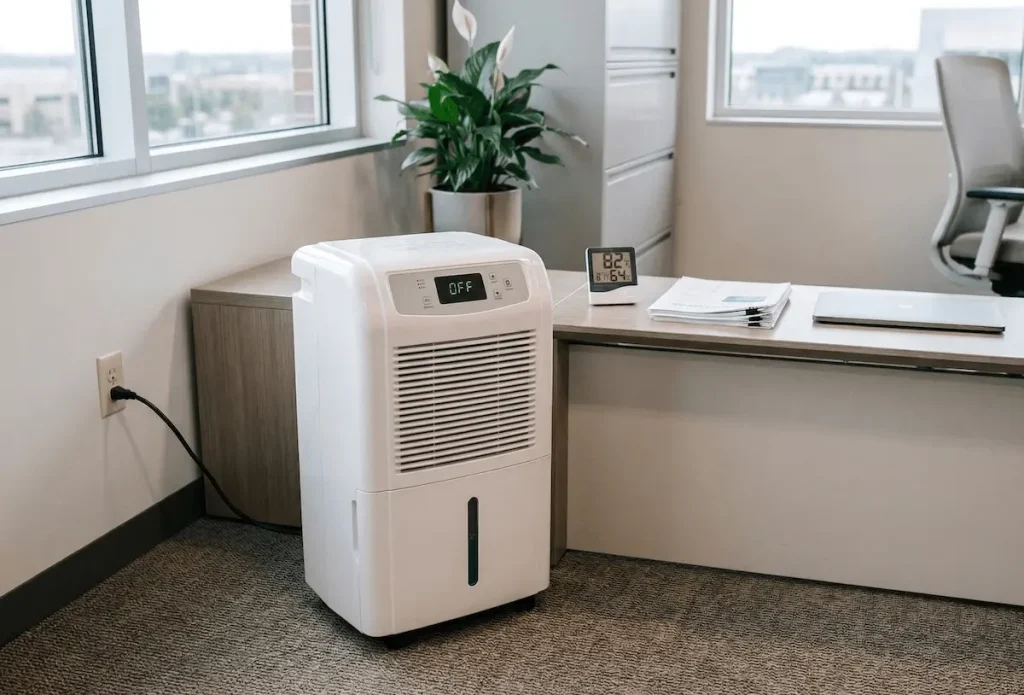
You walk into your facility or basement, and the air immediately feels heavy and damp. You check your dehumidifier, and it’s either completely lifeless or humming away without collecting a single drop of water.
Just a few days of this excess moisture can lead to rapid mold growth, ruined inventory, and costly operational downtime. When a commercial or residential unit fails, it’s a stressful race against the clock to get the humidity back under control.
But don’t rush to buy a replacement just yet. Most dehumidifier failures come down to a few common culprits. In this guide, we’ll walk you through a logical troubleshooting sequence, from basic power checks to electrical component testing, to help you diagnose exactly why your dehumidifier is not working and show you how to fix it.
Power Supply and Startup Failure
If your dehumidifier is completely unresponsive – no lights, no fan, no compressor hum – the issue lies in power delivery or the control interface. Do not assume the unit is dead until you check the electrical path.
Verify Voltage and Outlet Integrity
Before you start taking the machine apart, test your wall outlet. You can use a multimeter or plug in a high-draw device like a hair dryer to ensure the outlet has power.
Dehumidifiers pull a lot of amps. A weak breaker connection or a tripped GFCI outlet is a very common cause of sudden power loss.
Inspect your power cord for any dark spots or thermal damage. If you see frayed wires or melted prongs, replace the cord immediately to prevent a fire hazard.
Perform a Hard Reset
Modern units use electronic control boards that easily get stuck in an error state after a sudden power surge or outage.
- Unplug the dehumidifier from the wall completely.
- Wait 10 to 15 minutes so the capacitors on the board can fully discharge.
- Plug the unit back in and try to turn it on.
Check the Humidistat Settings
Sometimes, a “broken” dehumidifier is simply doing exactly what you told it to do. If the ambient room humidity is lower than your target setting, the unit goes to sleep.
Try lowering the target humidity setting to its absolute minimum (often 30% or “Continuous Operation”). If the machine suddenly fires up, your unit is perfectly fine! The room was just already dry enough.
Unit Runs But Collects No Water
If you hear the fan running but the water tank stays dry, you are dealing with an airflow restriction or a stalled compressor. The machine is moving air, but the actual moisture removal process has stopped.
Inspect Airflow and Filters
Restricted airflow stops the unit from pulling moist room air across the internal cold coils.
Pull out your air filter and hold it up to the light. If it’s heavily matted with dust, wash it with warm soapy water and let it air dry completely before putting it back.
A choked filter causes the internal compressor to overheat and shut down. Also, make sure you leave at least 6 to 12 inches of empty space around the intake vents so the unit can breathe.
Verify Compressor Engagement
You need to know the difference between the fan running and the compressor running. Set your unit to “continuous” mode and listen for a distinct, low-pitched hum kicking on.
Let it run for 20 minutes, then feel the air blowing out of the exhaust vent. It should feel warm, usually about 10 to 15 degrees warmer than the room.
If the exhaust air is cold, your compressor isn’t pumping, or you’ve lost your refrigerant gas. If it is warm, the compressor works, but your humidity sensor might be failing.
Check the Float Switch
Your dehumidifier has a safety switch that shuts off the compressor when it thinks the water bucket is full.
Pull the bucket out and find the float switch (usually a little plastic lever). Move it up and down with your finger. It should click and move freely.
If it feels stuck, clean it. If it moves fine but the unit still won’t run, the internal magnetic switch might be broken and needs replacing.
Frozen Coils and Icing Issues
If you see a block of ice building up behind your air filter, your unit cannot collect water. Ice acts like an insulator, blocking airflow and stopping the condensation cycle completely.
Ambient Temperature Limits
Standard dehumidifiers freeze up if the room drops below 65°F (18°C). The internal coils get so cold that the system can’t melt the frost fast enough before the next cycle.
If this happens, turn the unit off and let it thaw. If you need to dry out a cold basement, you should look into desiccant dehumidifiers which are built specifically for low-temperature environments.
Airflow Restriction
If your room is warm (above 65°F) and the machine still turns into an ice block, poor airflow is usually the culprit. Dust buildup on the metal coils traps the cold air.
Unplug the machine and take off the front cover. Gently brush the dust off the aluminum fins with a soft brush. Be very careful not to bend the soft metal fins, as that will permanently block the air!
Water Leaks and Drainage Failure
If you find a puddle of water on your floor, the good news is that your dehumidifier is actually working! The bad news is that it’s failing to drain that water properly.
Gravity Drain Issues
If you have a hose hooked up to drain water straight into a floor drain, you must follow the rule of gravity. The hose must slope downhill for its entire length.
If the hose dips, loops, or goes uphill even slightly, water will back up into the machine and overflow onto your floor. Also, check the hose for algae clogs and flush it with a little bleach if needed.
Internal Pump Failure
Some units have built-in pumps to push water up into a sink. If water is overflowing the internal bucket instead of pumping out, check the pump intake.
Look inside the reservoir and clear away any slime or debris blocking the pump screen. If the screen is clean but the pump never kicks on, the pump motor is likely dead.
Advanced Mechanical Troubleshooting
If you’ve tried all the basic steps above, you likely have a failed internal component. Always unplug the unit before you open the plastic housing to avoid electric shock.
Compressor Start Failure
If your compressor tries to turn on (you hear a hum for a few seconds) and then shuts off with a loud “click,” it is overheating.
The most common culprit is a blown run capacitor. Look for a small, cylindrical part near the compressor. If the top looks swollen or bulging, it’s dead and needs replacing.
Fan Motor Diagnosis
If the compressor runs fine but the fan blades aren’t spinning, the system will overheat quickly.
With the unit unplugged, try to spin the fan blade with your hand. If it feels stiff, gritty, or won’t move, the motor bearings are seized, and you need a new fan motor.
Electronic Error Codes
If your digital display flashes an error code (like E1, P1, etc.), the control board is trying to tell you what’s wrong.
- Sensor Faults: Usually means a temperature or humidity wire came loose inside.
- Temperature Warnings: The room is too hot or too cold for the machine to operate safely.
- Refrigerant Protection: The machine realizes it isn’t getting cold enough, which usually points to a fatal refrigerant leak.
When to Repair vs. Replace
Deciding whether to call a professional depends on the unit’s value and the nature of the failure. Here is a quick breakdown to help you decide your next move:
Scenario | Recommendation | Why? |
Broken Sensor or Switch | Repair | Parts are cheap (under $20) and usually easy to plug in yourself. |
Bad Capacitor or Fan | Repair | Costs $15 to $50 and requires basic tools to swap out. |
Unit is Under Warranty | Repair | Let the manufacturer cover the cost. Compressors often have 5-year warranties. |
Compressor is Dead | Replace | The cost of a new compressor and labor usually exceeds the price of a brand-new unit. |
Refrigerant Leak | Replace | Fixing leaks requires EPA-certified technicians and expensive tools. Not worth it for residential units. |
Rusted Internal Coils | Replace | If the metal fins crumble when you touch them, the machine has reached the end of its life. |
Final Thoughts
A broken dehumidifier doesn’t always mean a death sentence for the machine. By working through this systematic checklist, you can often save yourself hundreds of dollars and get your space dry again with a simple $15 part or a quick coil cleaning.
However, if your unit has a dead compressor or a fatal refrigerant leak, it’s usually time to cut your losses. Upgrading to a more robust unit, especially if you are managing a demanding commercial environment, will save you from repeating this headache a few months down the road.
Which troubleshooting step helped you identify your dehumidifier’s problem? Or are you dealing with a strange error code not mentioned here? Let me know, and I’ll help you figure it out!